See your whole path, in your own data.
GLPath doesn't tell you what to do. It shows you exactly what you've logged, in charts built for the long run.
Everything on this page marked Plus is optional, and the core app is free to use, forever.
Works with your medication
Side-effect pick-lists follow the medication you select, and you can always add your own terms. Doses are logged in mg, with an injection-site body map for injectables. Oral medication skips the site, and compounded medication is logged as free text.
Mounjaro, Zepbound, Wegovy, and Ozempic are trademarks of their respective owners. GLPath is an independent tracking tool and is not affiliated with or endorsed by any medication manufacturer.
Weight, on your own trend
Log a check-in in seconds, including backdated ones, and see every entry plotted on your own trend line, with a BMI chart alongside.
- A stability band shades the chart once you move past the active phase, so day-to-day wiggle reads as what it is.
- A dashed line marks the goal weight you set for yourself.
- Display in kg, lb, or stones, stored precisely either way.
Doses and injection sites
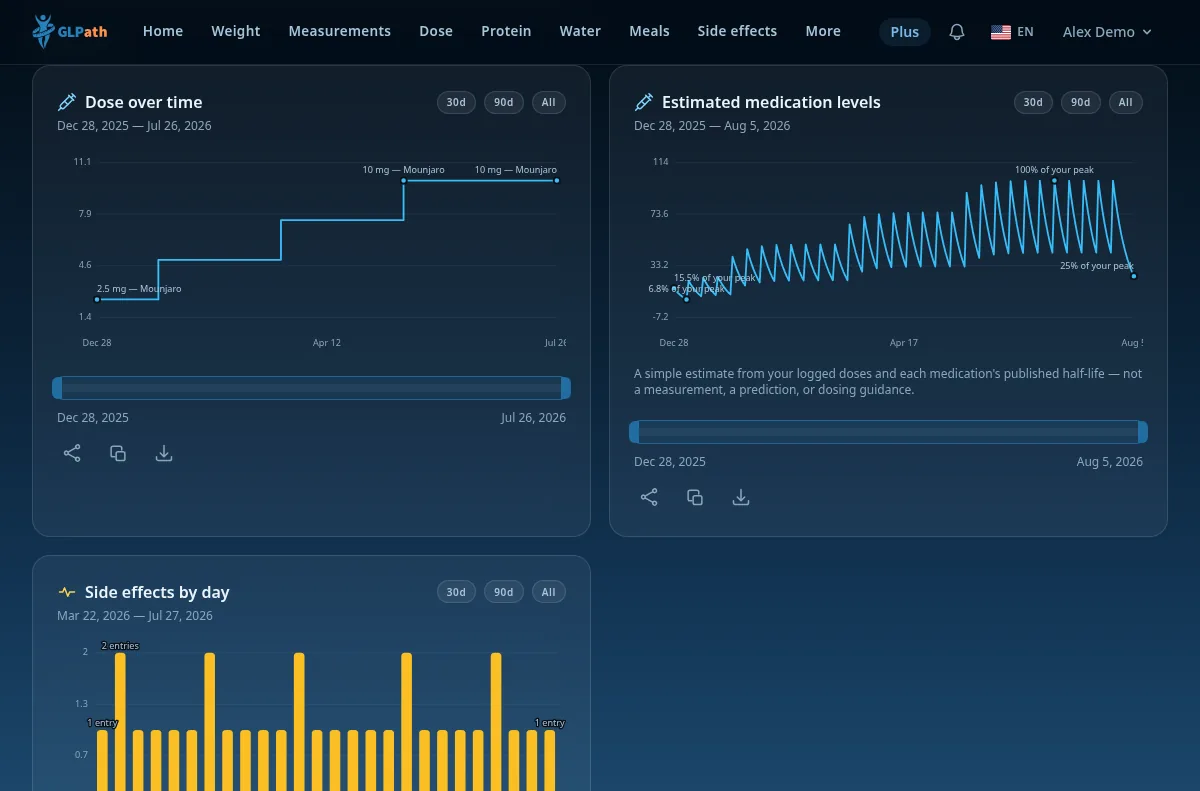
Every shot gets a date, a dose in mg, and, for injectables, a tap on a body map to record the site. The dose step-chart sits alongside your weight, so changes line up with what followed.
- Each log keeps the medication it was recorded under, even if you switch later.
- Your dose and medication from Settings carry onto each new log.
Meals and calories
Log a meal from a photo or a few words and get automatic calorie and macro estimates you adjust before saving, or enter everything yourself.
- The day's calories chart against a personal energy reference computed from your profile.
- A 7-day chart shows protein, carbs, fat, and sugars side by side.
- A satiety note on each meal records how full it left you.
Body measurements
Five sites, chest, waist, hips, upper arm, and thigh, logged on a tape-measure silhouette, one entry per site per day.
- Change since your first entry, per site.
- A multi-line chart tracks all five sites together.
- Centimetres or inches, following your weight unit.
Side effects, in your own words
Pick from a list that follows the medication you select, or add private terms of your own. A history and a top-effects chart show what you logged and when.
- Timing insights group occurrences by days since the previous dose, with Plus.
The whole journey, phase by phase
The path has phases, actively on medication, at goal, tapering, off medication, considering a restart. The dashboard adapts to the one you are in.
- A timeline records every phase you have moved through.
- A forward-looking path strip shows where things stand in the current phase.
- Phase changes and dose changes appear as markers on the weight and BMI charts.
- An estimated arrival window for your goal, projected from your own pace, with Plus.
Water and protein
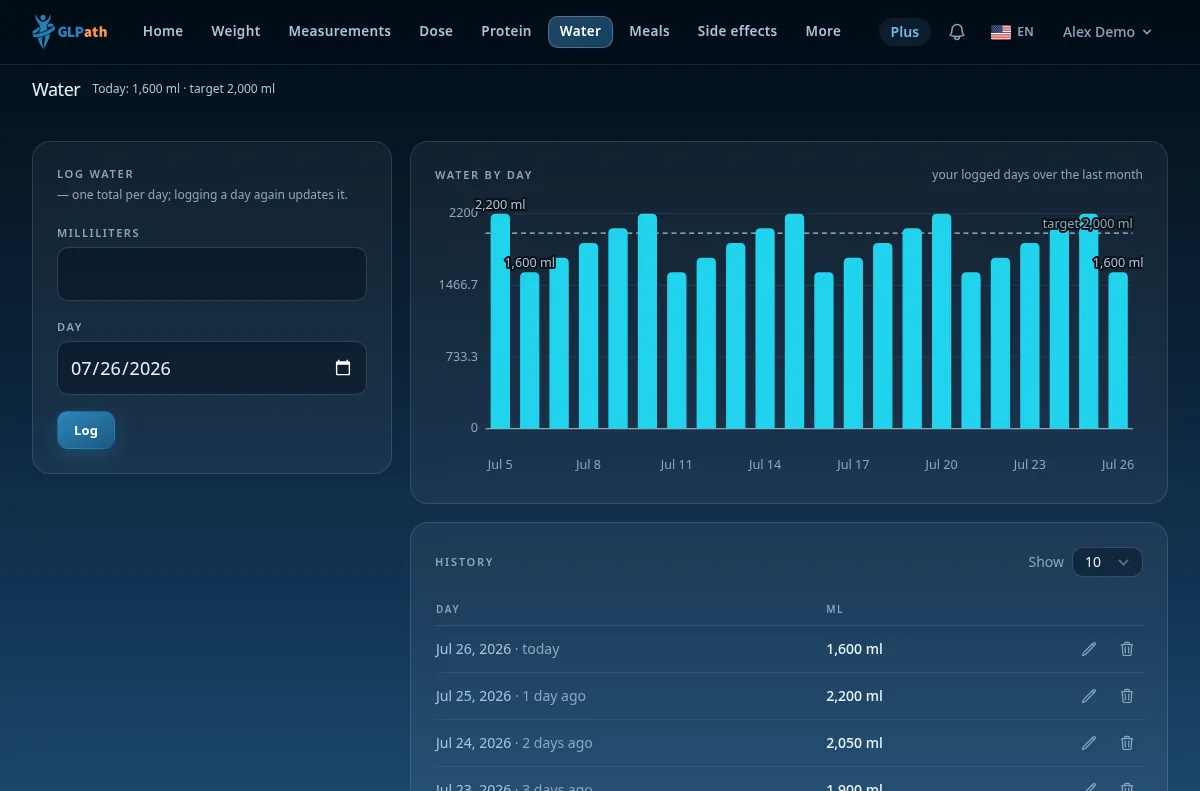
Daily targets you set for both, water logs with one tap, protein logs your grams, each with its own daily chart and target line.
Progress photos, private
Photos stay private to your account unless you explicitly choose to share them with a clinician you've invited — a per-doctor toggle, off by default, revocable at any time.
- Compare any two side by side, with Plus.
Charts, reports, and your data
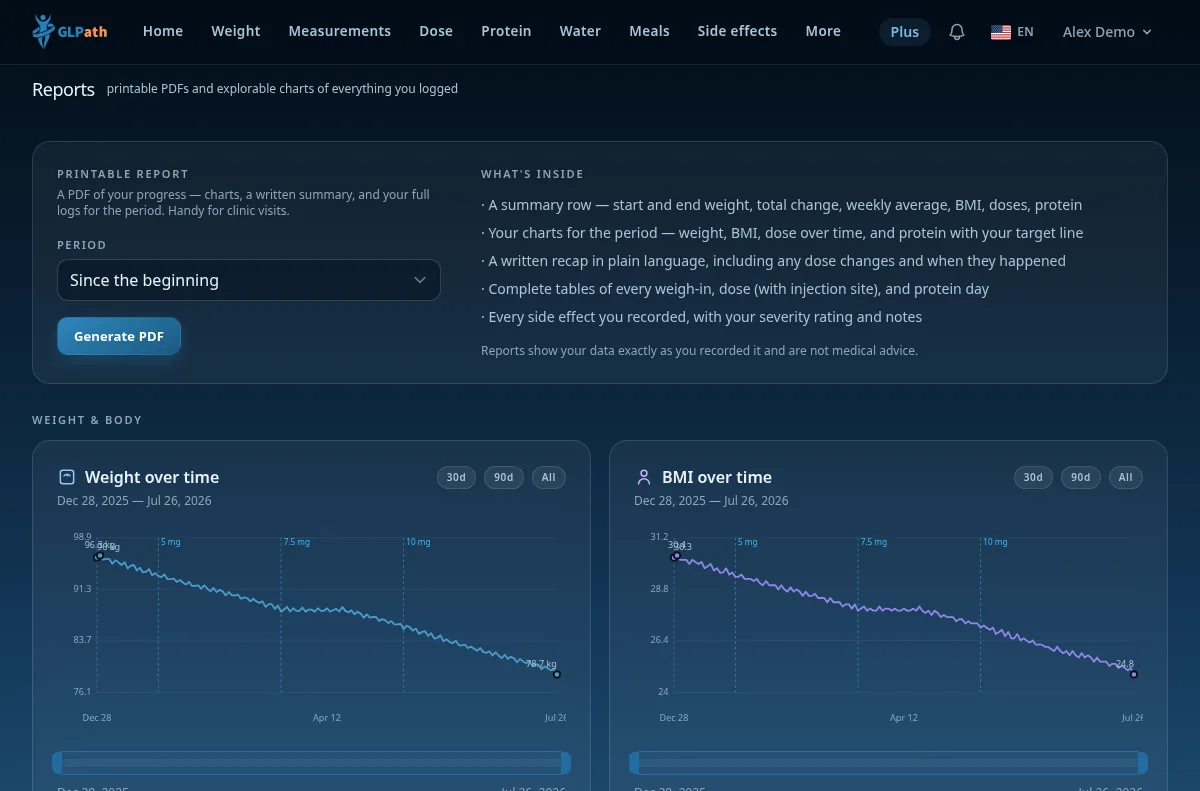
A dashboard of tiles and chart cards you reorder by dragging, plus an explorer on every chart with a date-range brush and share, copy, or download of the image.
- PDF reports, ready to hand to your clinician.
- CSV export for everyone; Excel with Plus.
- Takeout, every row you have ever logged, in one download.
- Delete your account and everything goes with it.
Reminders that stay out of the way
Dose reminders by email and an in-app bell, with an optional day-before note. You choose the channels.
Your language, your units, your theme
English, Romanian, German, French, Spanish, Portuguese (Portugal and Brazil), Dutch, Danish, Norwegian, Swedish, Estonian, Lithuanian, Latvian, Polish, Czech, Italian, Slovak, Hungarian, Serbian, Slovenian, Croatian, Bulgarian, Greek, Korean, Japanese, Simplified Chinese, and Traditional Chinese throughout. Light, dark, or auto theme. Kilograms, pounds, or stones, with centimetres or inches to match.
GLPath Plus adds a few extras
- Path projection, see where your path is heading, not just where it's been.
- Custom-range PDF reports, 30-day, 90-day, yearly, and custom presets.
- Excel export of your data, alongside the CSV export everyone gets.
- Estimated medication levels, where your dose likely sits between shots.
- Side-effect timing insights, when your effects cluster after shots.
- Photo compare, side by side, then and now.
- Photo meal estimates, snap a plate, adjust, save (5 a day).
Start logging today.
Free to use for the whole path, no credit card required.
Create your account